A1 Mini
The 3D printing market in 2026 has no shortage of options. Budget printers have gotten dramatically better, enthusiast machines push print speeds that seemed impossible three years ago, and Bambu Lab sits somewhere in the middle: premium but accessible, opinionated but effective.
I bought the A1 Mini in August 2025 specifically because I wanted to stop thinking about my printer and start thinking about what I was printing. Six months later, that’s exactly what happened.
Unboxing and Setup
The A1 Mini ships mostly assembled. Setup is pulling off packing foam, attaching the filament spool holder, loading filament, and running the auto-calibration sequence. Start to first print: under 30 minutes.
The calibration process is impressive. The printer uses a load cell on the toolhead for bed leveling (no manual tramming) and a LIDAR sensor to measure the first layer live and adjust on the fly. First-layer quality was near-perfect from day one.
Print Quality
At Bambu’s default 250mm/s speed profile, print quality is genuinely impressive. Dimensional accuracy is within 0.1-0.2mm on most prints. Wall consistency is excellent. Top surfaces at default settings are smooth without any post-processing.
Slow it down to 150mm/s and the quality is indistinguishable from printers twice the price.
Multi-Color with AMS Lite
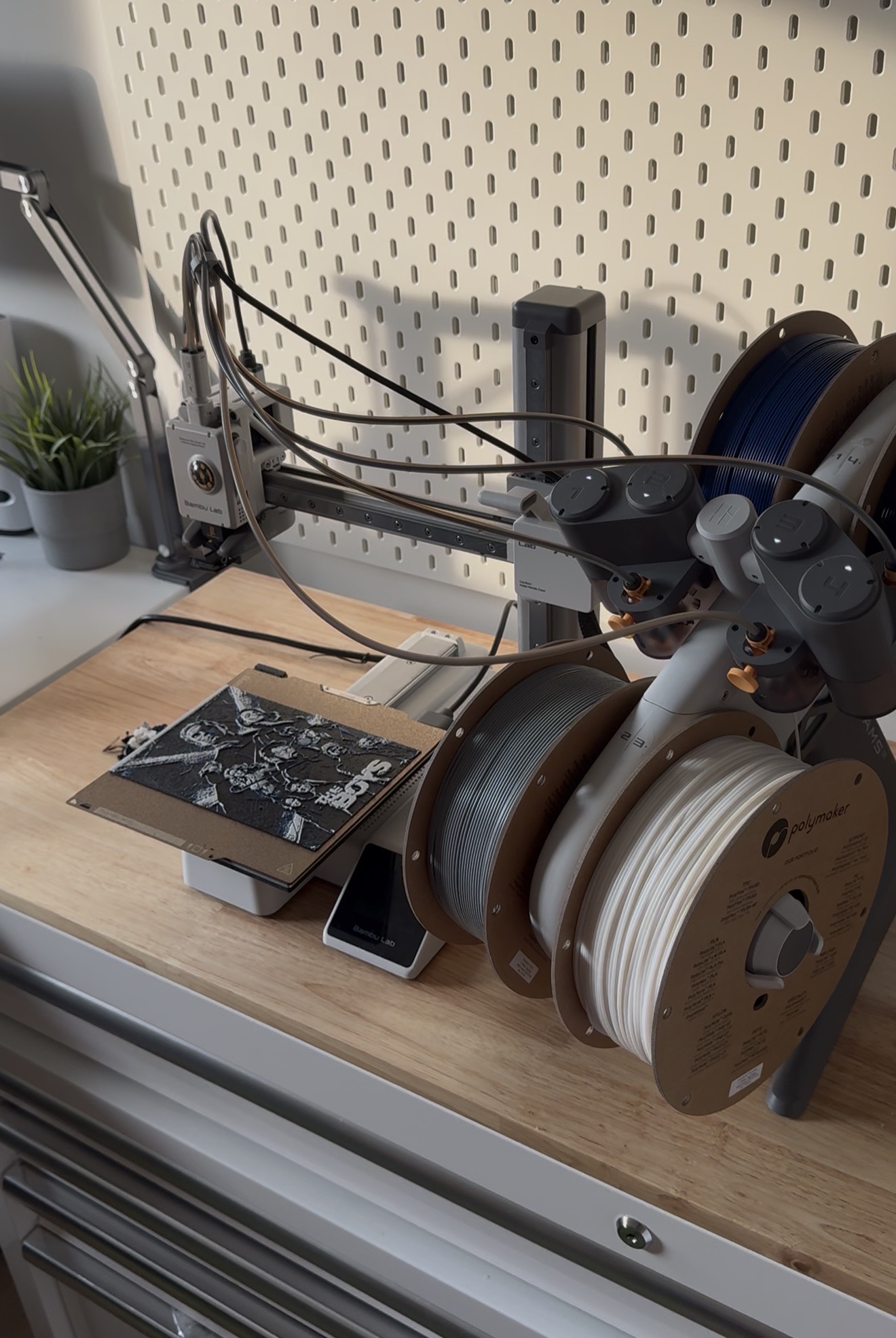
The AMS Lite holds four spools and switches automatically during a print. It works. That sounds like a low bar, but multi-material printing is historically unreliable and the AMS Lite clears it easily.
My experience across 30+ multi-color prints: two jams, both cleared in minutes. Purge waste is significant — plan for it in your slicer settings.
Software
Bambu Studio is the first-party slicer. It’s well-designed, regularly updated, and has excellent presets for Bambu printers. Third-party options (OrcaSlicer, PrusaSlicer) work but require manual configuration.
The app on mobile lets you monitor prints remotely with the built-in camera. More useful than I expected.
Who Should Buy It
- First printer? Yes, get the A1 Mini.
- Upgrading from an Ender 3? Yes, the difference is significant.
- Want maximum build volume? Look at the A1 or X1 Carbon instead.
- Want to tinker and mod? The A1 Mini isn’t that printer. It’s designed to be used, not modified.
Final Verdict
4.5/5. The half-point deduction is for the ecosystem friction and the small build volume. Everything else is excellent. This is the printer I recommend without hesitation in 2026.
The A1 Mini is the printer I recommend to anyone who asks. It removed all the friction I used to associate with 3D printing and made the hobby fun again. Minor ecosystem gripes don't change the fact that it just prints beautifully, every time.